Instructor Guide - peerScholar
🎯 Overview
Contribution Adjustments allow instructors to fairly adjust individual grades on a group assignment based on peer-rated group member contributions.
This feature is commonly used to:
Reduce free-riding
Reward high contributors
Improve fairness in group grading
Apply WebPA-style weighting automatically
When enabled, peerScholar uses group member evaluation ratings to calculate a contribution factor for each student and adjusts their group grade accordingly.
✅ Before You Begin
To use Contribution Adjustments, you must:
✔ Create a Group Member Evaluation activity
✔ Add at least one graded assessment for the group artifact
✔ Ensure students are assigned to groups
🚀 Where to Find It
Contribution Adjustments are configured in:
Build Activity → Customize Grading → Contribution Adjustment Settings
🧩 Step 1 — Add the Group Artifact Grade
First, ensure the group work itself is graded.
What to do
Go to Customize Grading.
Under Instructor/Teaching Team Evaluations (or Peer Ratings if used for the artifact):
Add at least one assessment worth points.
Save.
✅ This grade becomes the base group mark that can be adjusted.
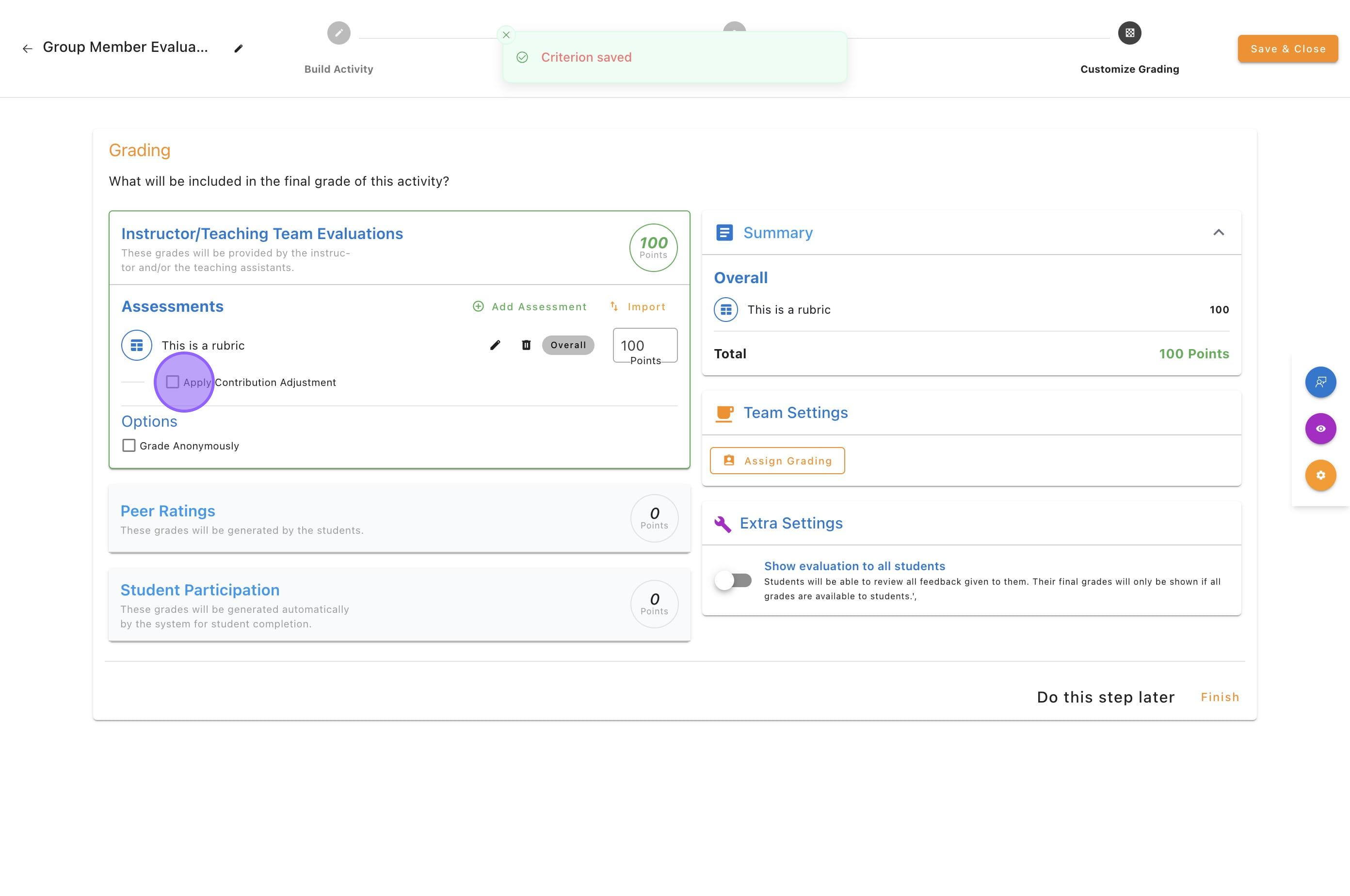
⚙️ Step 2 — Enable Contribution Adjustments
In Customize Grading, open Contribution Adjustment Settings.
Check Apply Contribution Adjustment.
Select which Group Member Evaluation(s) will be used.
You may select one or multiple evaluations.
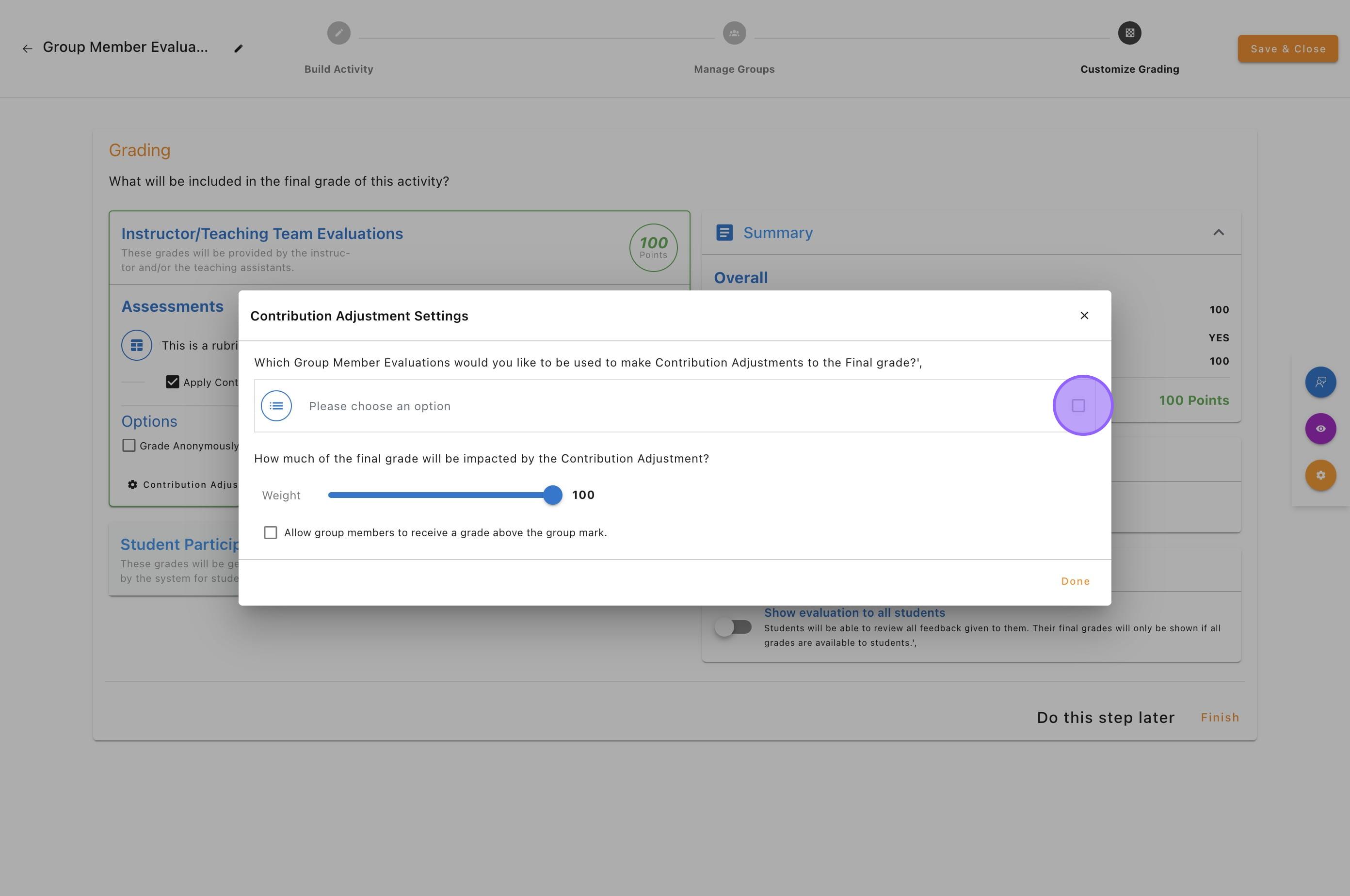
🎚️ Step 3 — Set the Adjustment Weight
This controls how much of the group grade is affected by contribution ratings.
Weight slider options
100% → fully WebPA-style (most common)
Partial (e.g., 50%) → protects part of the group grade
0% → no adjustment (effectively disabled)
🛡️ Protecting Part of the Grade
If weight is less than 100%:
A portion of the original group grade is protected
The remainder is adjusted by contribution
✅ This is helpful when instructors want fairness without large penalties.
Example
Group artifact grade = 80
| Weight | What happens |
|---|---|
| 100% | fully adjusted by contribution |
| 50% | half protected, half adjusted |
| 25% | mostly protected |
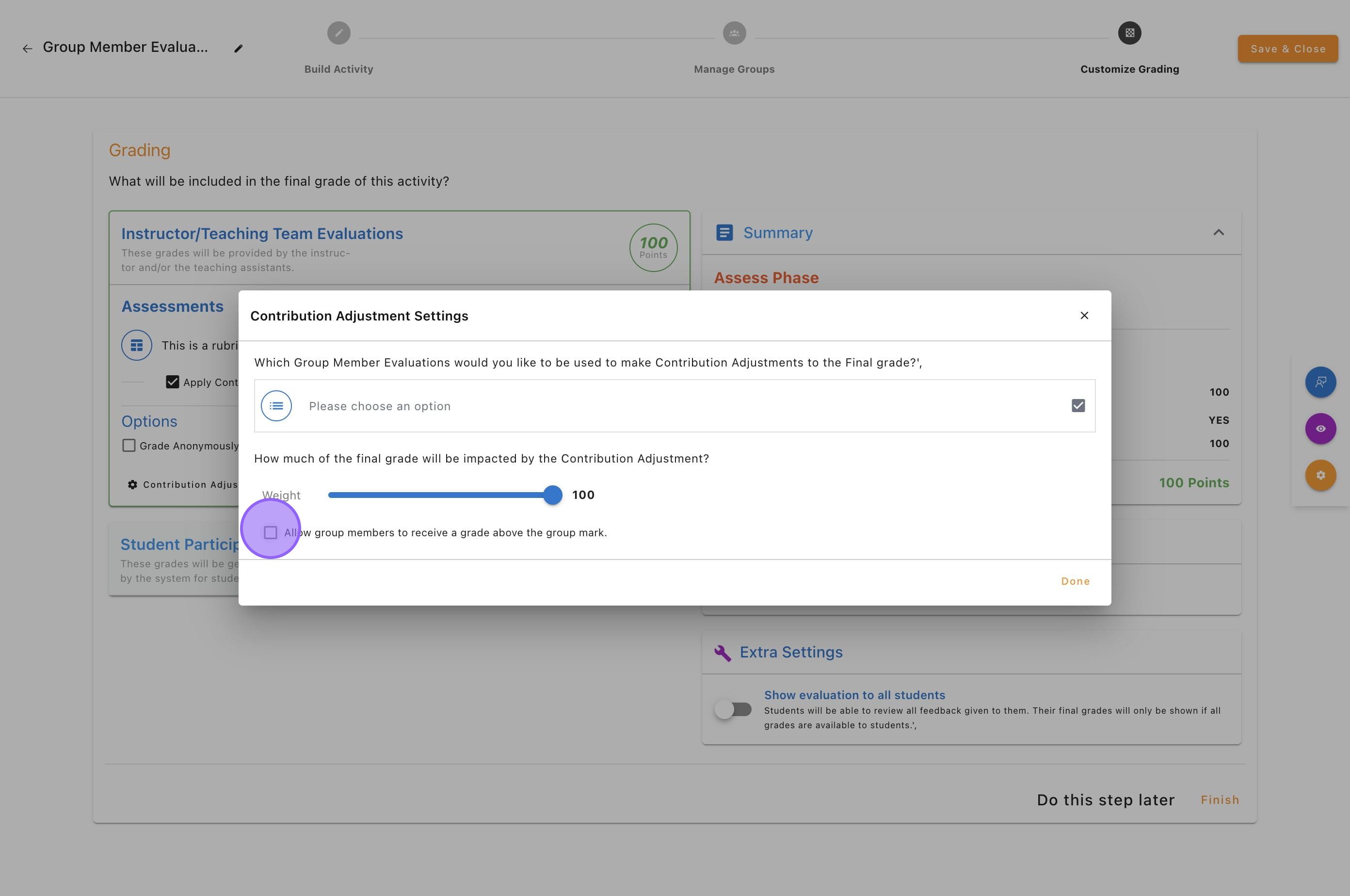
⬆️ Step 4 — Allow Scores Above the Group Grade (Optional)
Toggle:
Allow group members to receive a grade above the group mark
When ON
High contributors can earn above the group grade
Low contributors may receive below
✅ Recommended when you want to reward exceptional effort.
When OFF
Students can only be adjusted downward
The group grade acts as a ceiling
✅ Recommended for more conservative grading policies.
How the Calculation Works (Simple Explanation)
peerScholar uses a WebPA-style approach:
Step-by-step logic
Students rate each group member’s contribution.
The system calculates each student’s average contribution score.
Scores are normalized within the group to create a contribution factor.
The group artifact grade is multiplied by this factor.
The Weight slider determines how strongly this affects the final grade.
📐 Simple Example
Group grade = 80
Peer contribution results:
| Student | Contribution factor | Final grade (100% weight) |
|---|---|---|
| Alex | 1.10 | 88 |
| Sam | 1.00 | 80 |
| Jordan | 0.80 | 64 |